
Here is List of about:config hacks for Firefox 3
extensions.checkCompatibility = False

extensions.checkUpdateSecurity = False
2) Location Bar (Set number Auto Complete URL at Address Bar)
This is a good hack to trim down that huge auto-complete list on your URL bar. By default it displays maximum 12 URL
browser.urlbar.maxRichResults = #Enter Number at # (3,10,12 etc)
3) Stop Displaying Website Icon (Favicon) in Address bar & On Tab
browser.chrome.site_icons = False4) Disable Prefetch (Helpful for frequent Google searcher, low-speed internet connection or low RAM)
network.prefetch-next = False5) Extend Spell check to forms
layout.spellcheckDefault = 2 Change Value from 1 to 2
6) Disable Blinking Text
browser.blink_allowed = False7) Speed Tweaks
network.http.pipelining false to true

network.http.pipelining.maxrequests 30 to 8

network.http.max-connections 30 to 96

network.http.max-connections-per-server 15 to 32

network.http.max-persistent-connections-per-server 6 to 8

network.http.pipelining.ssl false to true

network.http.proxy.pipelining false to true
8 ) Disable Annoying Browser Behavior
dom.disable_window_open_feature.menubar

dom.disable_window_move_resize

dom.disable_window_open_feature.titlebar

dom.disable_window_open_feature.toolbar
Set all of above to value False
9) Disabler Browser Toolbar Tip
browser.chrome.toolbar_tips = False10) Show More Tabs on Single Firefox Window before Scrolling
browser.tabs.tabMinWidth = 75Setting lesser value with reduce Tab width
11) Past Copy Content with Middlemouse Click
middlemouse.paste = True12) Scroll webpage in One Go
mousewheel.withaltkey.action=113) Disable Delay Time While Installing Firefox Add-on
security.dialog_enable_delay = 0(Zero is number of seconds Firefox should wait while installing Add-on)
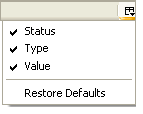
Many of above about:config hacks are available in Older Firefox Version, at the end if some thing goes wrong then feel free to restore your about:config to older setting see the below image of how to restore about:config


0 comments:
Post a Comment